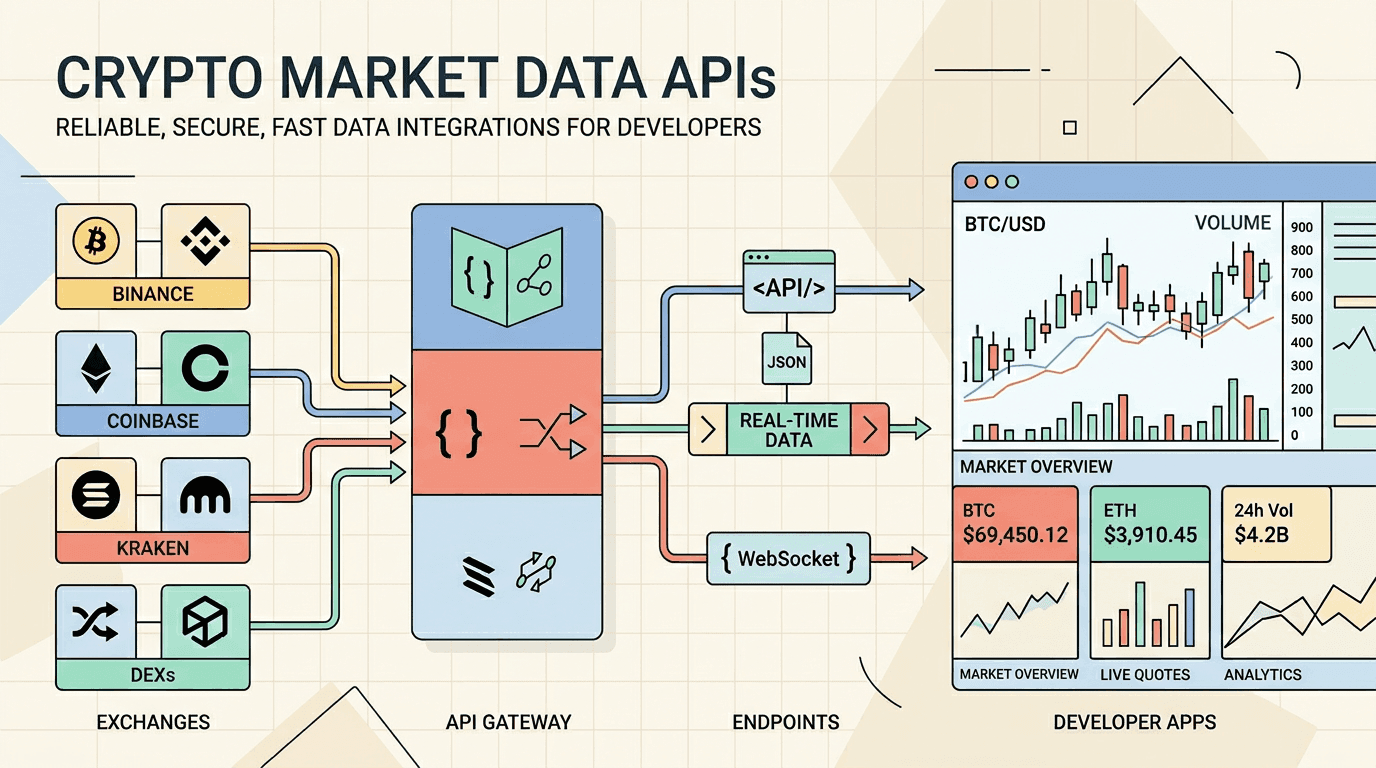
Crypto market data integrations look simple until you ship them. The hard parts are not just fetching a BTC price. You need to decide whether the product needs broad asset coverage, wallet and portfolio data alongside prices, exchange-specific order book data, predictable authentication, historical data, or a low-maintenance public endpoint for a small widget.
This draft compares API Deposu catalog entries that are useful for developer-facing crypto products. Before production use, verify current authentication, rate limits, attribution, and commercial terms directly from each provider.
Quick comparison
| API | Best fit | Data style | Production caution |
|---|---|---|---|
| CoinStats API | All-in-one crypto market, wallet, DeFi and portfolio products | Aggregated market data plus wallet and portfolio data | API key required; costs vary by endpoint; not a tick-level exchange feed |
| CoinPaprika API | Coin pages, portfolio views, and market overview screens | Tickers, coin metadata, global market data | Check plan limits before high-volume refreshes |
| Coinlore API | Lightweight public ticker lists | Simple ticker and global market endpoints | Confirm terms and response format behavior before relying on it |
| Coinbase Exchange API | Exchange-specific BTC-USD style products | Ticker, order book, and 24h product stats | Use exchange-aware symbol handling and throttling |
| Bybit API | Exchange-specific spot dashboards and charts | Tickers, order book, and candle data | Cache public market data and handle exchange-specific response shapes |
1. CoinStats API
CoinStats fits when a product needs market data together with wallet balances, DeFi positions, and portfolio analytics — the combination portfolio trackers and wallet apps would otherwise assemble from several providers.
Use CoinStats when:
- You need normalized coin prices, market caps, volume, and historical charts.
- Your product also needs wallet balances, portfolio data, or DeFi positions.
- You are feeding crypto data to an AI agent over MCP.
Requests authenticate with an X-API-KEY header, and the free tier is metered in credits whose cost varies by endpoint, so read the pricing and rate-limit pages before sizing a plan. It is not a substitute for exchange market microstructure: for order books and venue-specific tickers, use Coinbase Exchange or Bybit.
A first request looks like this:
curl --request GET \
--url "https://api.coinstats.app/v1/coins?limit=20¤cy=USD" \
--header "X-API-KEY: YOUR_API_KEY"2. CoinPaprika API
CoinPaprika is a good fit for products that need coin metadata, ticker fields, and global market information without designing a full data ingestion pipeline. The public documentation includes examples for ticker lookups and explains the coin ID pattern used by its endpoints.
Use CoinPaprika when:
- You need coin-level pages with price, volume, rank, and metadata.
- You want a straightforward REST API for market overview screens.
- You can cache responses and verify plan limits before scaling traffic.
For API Deposu, CoinPaprika is a good candidate for tutorials because the catalog already includes practical endpoints such as global market overview, ticker lists, and a Bitcoin ticker detail request.
3. Coinlore API
Coinlore is attractive for small tools because it exposes simple market and ticker endpoints. It can work well for lightweight price widgets, internal prototypes, and watchlist experiments.
Use Coinlore when:
- You need a simple ticker list without a complex setup flow.
- You are building a prototype or low-traffic market overview.
- You can tolerate a smaller surface area than larger commercial data platforms.
Before using it in production, review the current terms and test response headers, pagination behavior, and error handling in your own environment.
4. Coinbase Exchange API
Coinbase Exchange is useful when your product needs exchange-specific public market data. This is different from aggregated market data: you are looking at one exchange's product identifiers, ticker values, order book, and 24h stats.
Use Coinbase Exchange when:
- Your UI is centered on exchange products such as
BTC-USD. - You need ticker, order book, or product stats from Coinbase Exchange.
- Your application can handle exchange-specific symbols and response formats.
For a multi-exchange dashboard, do not force Coinbase data into a generic shape too early. Keep a provider-specific adapter, then normalize the fields your UI actually needs.
5. Bybit API
Bybit is another exchange-specific option for public market data. It is useful for spot ticker views, candle charts, and order book snapshots where the exchange itself matters.
Use Bybit when:
- You need spot market ticker data for symbols such as
BTCUSDT. - You are building chart components backed by candle data.
- You want public exchange data as one input in a multi-market dashboard.
As with other exchange APIs, build retry, backoff, and cache behavior around your own traffic pattern. Do not assume exchange endpoints behave like aggregated market data APIs.
Recommended starting point
For most developer products, start with the product shape:
- Portfolio, wallet, or all-in-one crypto product: start with CoinStats.
- Coin metadata and market overview screens: consider CoinPaprika.
- Simple low-traffic ticker widget: evaluate Coinlore, then verify terms before scaling.
- Exchange-specific dashboard: use Coinbase Exchange or Bybit.
- Multi-provider product: isolate each provider behind an adapter and normalize only the fields the UI needs.
Implementation checklist
- Verify current authentication and plan requirements from official docs.
- Cache price and market responses at the edge or backend layer.
- Store provider symbols separately from your internal asset IDs.
- Keep raw provider responses available in logs during early testing.
- Add fallback states for stale data, unavailable symbols, and provider errors.
- Review attribution, terms, and commercial-use requirements before launch.
FAQ
Which crypto API should I start with?
Start with CoinStats if your product needs market data together with wallet, DeFi, or portfolio functionality. CoinPaprika is a simpler alternative for coin metadata and market-overview screens. Use Coinbase Exchange or Bybit when the exchange venue and its order book are part of the product.
Which API is best for exchange-specific data?
Coinbase Exchange API and Bybit API are better fits for exchange-specific tickers, order books, and candle data. Their response shapes are exchange-specific, so normalize symbols and fields in your own backend.
Should the frontend call crypto market data APIs directly?
For production, prefer a backend or edge route that handles caching, throttling, error normalization, and any required secrets. Direct browser calls are acceptable only for low-risk prototypes and public endpoints.
Are these APIs free?
Several providers expose free or public market-data access, but free does not mean unlimited and plans change. CoinStats meters its free tier in credits whose cost varies by endpoint. Check each provider's current pricing and rate-limit pages for authentication, request limits, attribution, and commercial-use terms.
How does API Deposu help here?
API Deposu keeps practical catalog entries and Test Lab examples for these APIs, so you can compare endpoints and integration shape before committing to a provider.
Related API Deposu entries
Sources
- CoinStats API overview
- CoinStats API documentation
- CoinStats authentication
- CoinStats Get Coins endpoint
- CoinStats pricing
- CoinStats rate limits
- CoinStats MCP documentation
- CoinPaprika API documentation
- Coinlore cryptocurrency data API
- Coinbase Exchange product ticker documentation
- Bybit get tickers documentation
Frequently Asked Questions
›Which crypto API should I start with?
Start with CoinStats if your product needs market data together with wallet, DeFi, or portfolio functionality. CoinPaprika is a simpler alternative for coin metadata and market-overview screens. Use Coinbase Exchange or Bybit when the exchange venue and its order book are part of the product.
›Which API is best for exchange-specific data?
Coinbase Exchange API and Bybit API are better fits for exchange-specific tickers, order books, and candle data. Their response shapes are exchange-specific, so normalize symbols and fields in your own backend.
›Should the frontend call crypto market data APIs directly?
For production, prefer a backend or edge route that handles caching, throttling, error normalization, and any required secrets. Direct browser calls are acceptable only for low-risk prototypes and public endpoints.
›Are these APIs free?
Several providers expose free or public market-data access, but free does not mean unlimited and plans change. CoinStats meters its free tier in credits whose cost varies by endpoint. Check each provider's current pricing and rate-limit pages for authentication, request limits, attribution, and commercial-use terms.
›How does API Deposu help here?
API Deposu keeps practical catalog entries and Test Lab examples for these APIs, so you can compare endpoints and integration shape before committing to a provider.