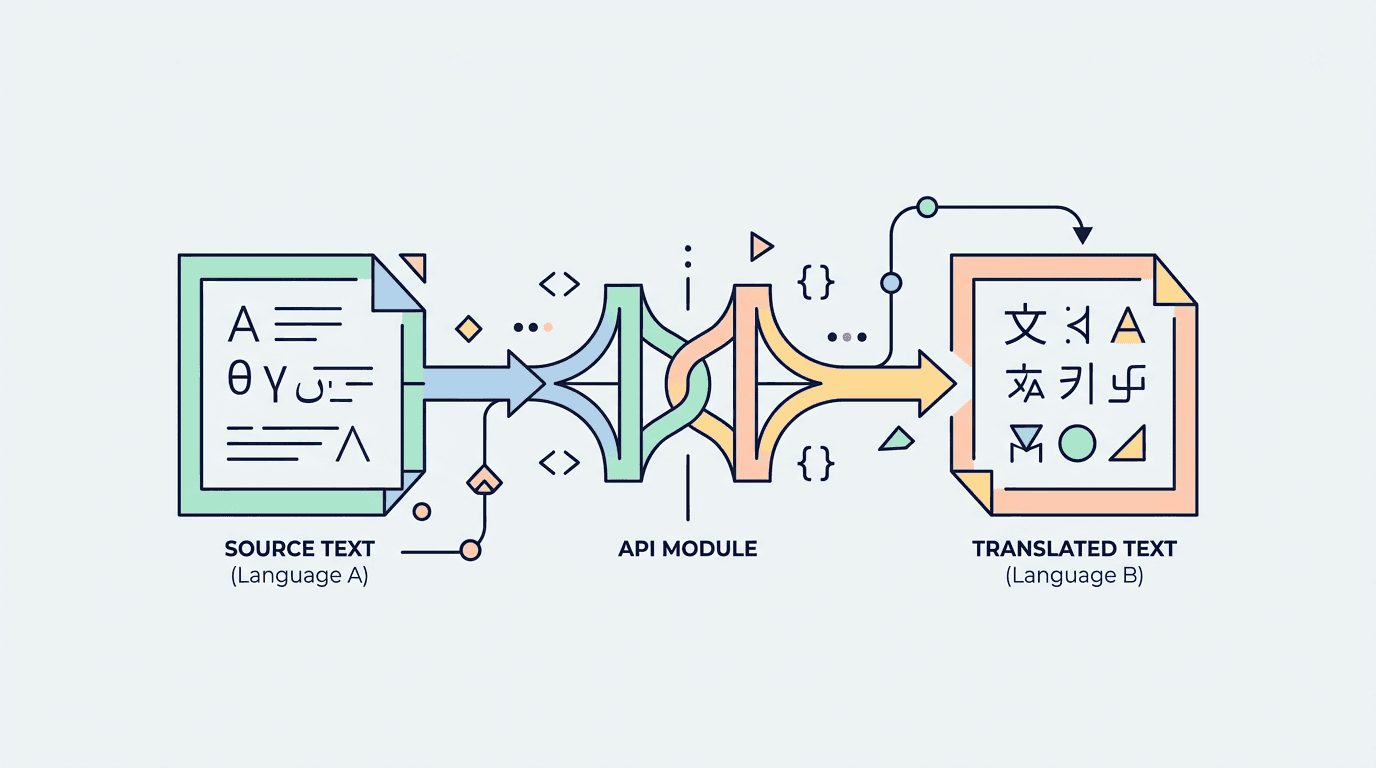
Translation APIs are no longer just "turn this string into another language" tools. Modern localization workflows need machine translation, language detection, glossary support, quality checks, and sometimes self-hosting. This shortlist covers the practical options available in the catalog.
Quick comparison
| API | Best for | Auth | Free tier signal |
|---|---|---|---|
| LibreTranslate | Open-source and self-hosted translation | API key | Free |
| Azure AI Translator | Enterprise translation workflows | API key | Free |
| Google Cloud Translation | Broad language coverage and Google Cloud apps | API key | Free |
| DeepL API | High-quality translation | API key | Trial |
| LanguageTool API | Grammar and spelling checks | None | Free |
What "free" actually means here
For translation and language APIs, "free" usually means one of three things:
- A public or self-hosted API you can use for development.
- A free monthly character allowance.
- A trial plan that lets you validate quality before paying.
Do not treat free translation quotas as unlimited production capacity. Translation workloads are character-heavy, so cache repeated text, batch requests, and track monthly usage early.
API options
LibreTranslate
LibreTranslate is the best option when openness matters. It is an open-source machine translation API that can be used through hosted providers or deployed on your own infrastructure.
Use it when:
- You want a self-hostable translation backend.
- You are building privacy-sensitive internal tools.
- You need a simple REST API for prototypes and content workflows.
Integration complexity is medium. The API shape is straightforward, but production quality depends on the model, deployment, and language pair you choose.
Azure AI Translator
Azure AI Translator is Microsoft's cloud translation service. It fits teams already using Azure or building enterprise workflows around language detection, transliteration, dictionary lookups, and batch translation.
Use it when:
- Your app already runs on Azure.
- You need broad language coverage and enterprise controls.
- You want translation as one service inside a larger AI stack.
The integration is typical cloud API work: create a resource, store a key, pass region headers, and manage quotas.
Google Cloud Translation API
Google Cloud Translation API is a strong default for apps already on Google Cloud. It supports text translation, language detection, and supported-language discovery through documented REST endpoints.
Use it when:
- Your app already uses Google Cloud.
- You need broad global language coverage.
- You want translation alongside Gemini, OCR, or other Google AI services.
Integration complexity is medium. Authentication and billing setup are the main overhead; the actual API calls are simple.
DeepL API
DeepL API is the quality-first option. It is especially strong for polished product copy, documentation, and content localization where fluency matters more than raw language count.
Use it when:
- You care about natural translated text.
- You localize marketing pages, help docs, or emails.
- You can work within trial or paid-plan limits.
DeepL is listed as a trial rather than a permanent free public API. That makes it excellent for quality evaluation and serious localization planning, but not the cheapest default for high-volume user-generated text.
LanguageTool API
LanguageTool API is not a translation engine. It checks grammar, spelling, and style across many languages, which makes it valuable after machine translation.
Use it when:
- You want to check translated copy before publishing.
- You are building an editor, CMS, or localization review tool.
- You need a no-auth public endpoint for development.
For localization pipelines, pair LanguageTool with a translation API: translate first, then run checks before review.
Picking the right one
Choose based on workflow:
- Open-source or self-hosted translation -> LibreTranslate.
- Azure-based product -> Azure AI Translator.
- Google Cloud-based product -> Google Cloud Translation.
- Highest translation quality -> DeepL.
- Grammar and quality checks -> LanguageTool.
Most teams start with one translation engine and add LanguageTool later as a QA step.
Related API Deposu entries
Sources
Frequently Asked Questions
›Which translation API is best for open-source or self-hosted apps?
LibreTranslate is the best fit when you want an open-source translation service that can be self-hosted. It is not always as fluent as DeepL or Google, but it gives you more control over deployment and data flow.
›Which API has the best translation quality?
DeepL is usually the strongest choice for high-quality European-language translation. Google Cloud Translation and Azure AI Translator are broader platform choices with large language coverage and enterprise tooling.
›Can I use these APIs for Turkish localization?
Yes. LibreTranslate, Azure AI Translator, Google Cloud Translation, DeepL, and LanguageTool all support multilingual workflows that can include Turkish, although language-pair quality and limits vary by provider.
›Is LanguageTool a translation API?
No. LanguageTool is a grammar and spelling API, not a machine translation engine. It belongs in localization workflows because it can check translated text before publication.