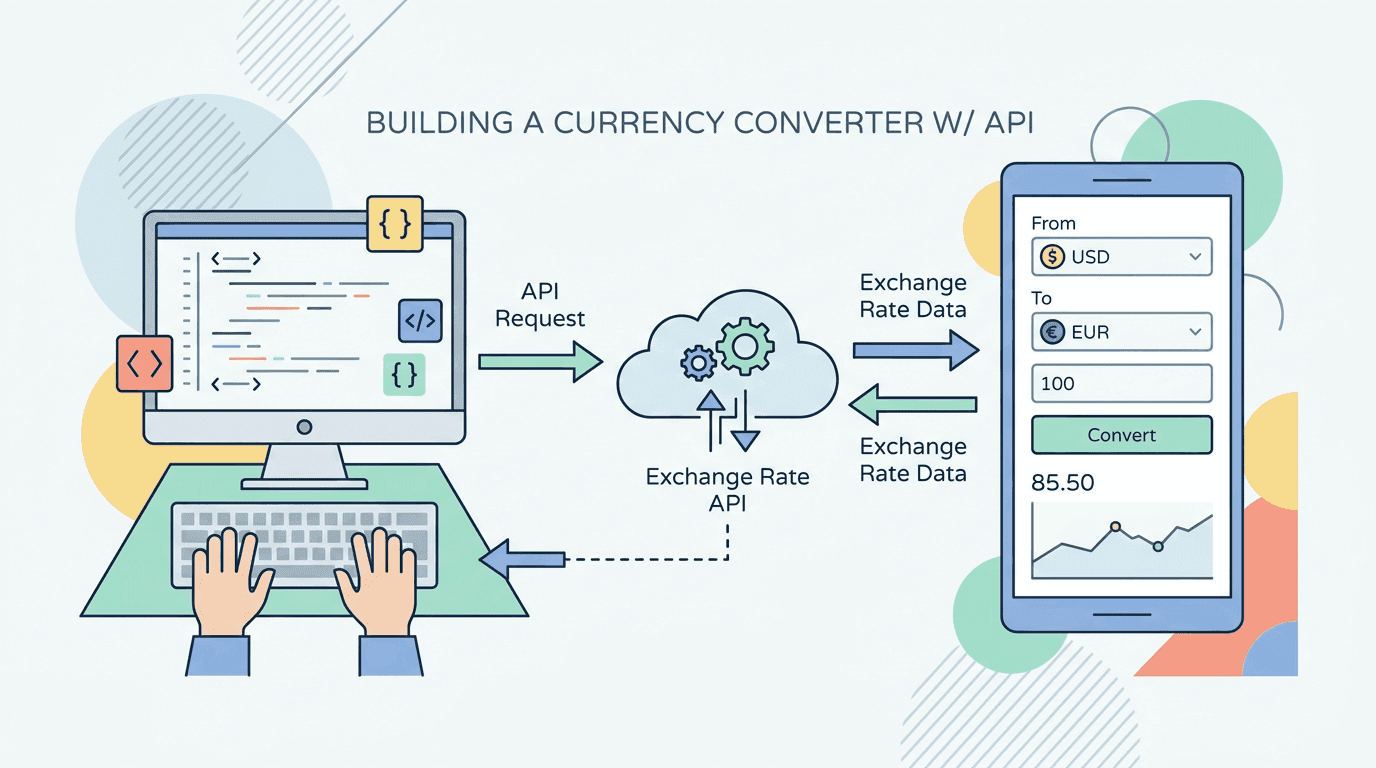
A currency converter is a useful first API integration because the workflow is small but realistic: fetch a rates document, validate user input, convert the value, format the output, and decide how stale data should behave.
This tutorial uses the currency-api-fawazahmed0 catalog entry from API Deposu. The catalog uses a jsDelivr mirror for stable Test Lab requests. Before production use, review the upstream repository, migration notes, and license.
What you are building
The converter needs four pieces:
- A base currency such as
usd. - A target currency such as
try. - A numeric amount.
- A rates response that contains the target currency value.
The conversion formula is:
convertedAmount = amount * rateEndpoint shape
In the API Deposu catalog, the Test Lab base URL is:
https://cdn.jsdelivr.net/npm/@fawazahmed0/currency-api@latestFor USD-based rates, the catalog endpoint path is:
v1/currencies/usd.jsonThat gives this request shape:
https://cdn.jsdelivr.net/npm/@fawazahmed0/currency-api@latest/v1/currencies/usd.jsonThe exact response fields should be verified during review because upstream projects can change structure or hosting guidance. In your implementation, validate the field before using it.
Minimal TypeScript fetch helper
Keep the API fetch in a small helper instead of spreading request logic through UI components.
type CurrencyRatesResponse = {
  date?: string;
  [baseCurrency: string]: unknown;
};

type RatesMap = Record<string, number>;

export async function fetchCurrencyRates(baseCurrency: string): Promise<RatesMap> {
  const base = baseCurrency.trim().toLowerCase();
  if (!/^[a-z]{3}$/.test(base)) {
    throw new Error("Invalid base currency.");
  }

  const url = `https://cdn.jsdelivr.net/npm/@fawazahmed0/currency-api@latest/v1/currencies/${base}.json`;
  const response = await fetch(url, {
    next: { revalidate: 60 * 60 },
  });

  if (!response.ok) {
    throw new Error(`Currency API request failed with ${response.status}.`);
  }

  const data = (await response.json()) as CurrencyRatesResponse;
  const rates = data[base];
  if (!rates || typeof rates !== "object" || Array.isArray(rates)) {
    throw new Error("Currency API response did not include a rates object.");
  }

  return rates as RatesMap;
}
Convert an amount
After fetching the rates map, keep conversion logic deterministic and easy to test.
export function convertCurrency(
  amount: number,
  targetCurrency: string,
  rates: Record<string, number>,
): number {
  const target = targetCurrency.trim().toLowerCase();
  const rate = rates[target];

  if (!Number.isFinite(amount) || amount < 0) {
    throw new Error("Amount must be a positive number.");
  }

  if (!Number.isFinite(rate)) {
    throw new Error(`Rate is not available for ${target}.`);
  }

  return amount * rate;
}
Format the result
Use Intl.NumberFormat for display instead of string concatenation.
export function formatCurrency(value: number, currency: string): string {
  return new Intl.NumberFormat("en-US", {
    style: "currency",
    currency: currency.toUpperCase(),
    maximumFractionDigits: 2,
  }).format(value);
}
If a currency is not supported by Intl.NumberFormat, catch the error and fall back to a plain numeric display with the currency code.
Production checklist
- Review the upstream repository and license before shipping.
- Cache responses; exchange-rate APIs should not be called on every keystroke.
- Store the last successful response if stale-but-usable data is acceptable.
- Show the data date when the response includes one.
- Validate base and target currency codes before building URLs.
- Add monitoring for failed fetches and missing target rates.
- Avoid using exchange-rate data for financial settlement unless the provider terms explicitly support that use case.
When to use a different API
This setup is good for simple converters, dashboards, calculators, and internal tools. Choose a commercial financial-data provider when you need SLAs, guaranteed update frequency, audited data lineage, support contracts, or regulated financial workflows.
Keep provider access behind one exchange-rate service, even in a small app. That boundary lets you swap the free source for an official or commercial provider later without rewriting form validation, formatting, or UI state.
FAQ
Can this run in the browser?
It can, but a backend or server component is usually better because it lets you cache responses, normalize errors, and change providers without redeploying client code.
How often should rates refresh?
Use the provider's current documentation and your product needs to decide. For many dashboards, hourly or daily refresh is enough. For trading or settlement, this API style is not enough without stronger provider guarantees.
Why does API Deposu use a CDN mirror for this entry?
The catalog notes that the upstream host can vary by region. The jsDelivr mirror gives the Test Lab a stable request base, but production teams should still review upstream guidance before launch.
Related API Deposu entries
Sources
Frequently Asked Questions
›Do I need an API key for this currency converter?
The tutorial uses the fawazahmed0 currency API via a public jsDelivr-hosted endpoint, so the example request does not require an API key. Review the upstream repository and hosting guidance before production use.
›How often should I refresh exchange rates?
For a simple converter, caching rates for at least minutes or hours is usually safer than fetching on every keystroke. Choose the refresh window based on your product's accuracy needs and the provider's documented update behavior.
›Can I use this exchange-rate API in production?
You can prototype with it, but production use should include response validation, caching, fallback behavior, and a review of the upstream repository, license, and hosting expectations.